It doesn't stop when the talking does
Every session is saved and searchable. Find it, ask it, listen to it, fix it, take it out.
Join the waitlist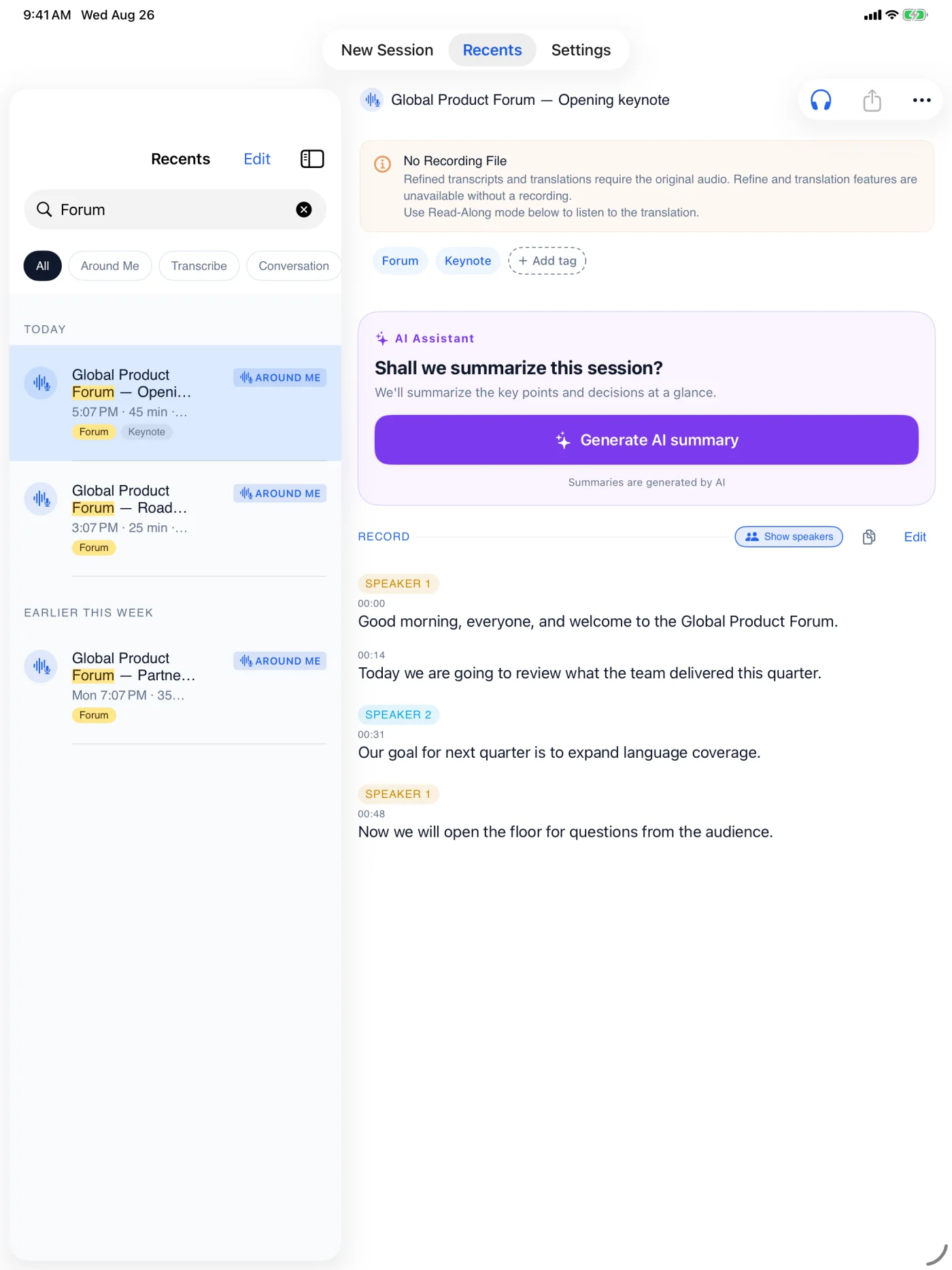
- 1FindSearch titles, tags, and transcripts
- 2RevisitListen, summarize, or ask
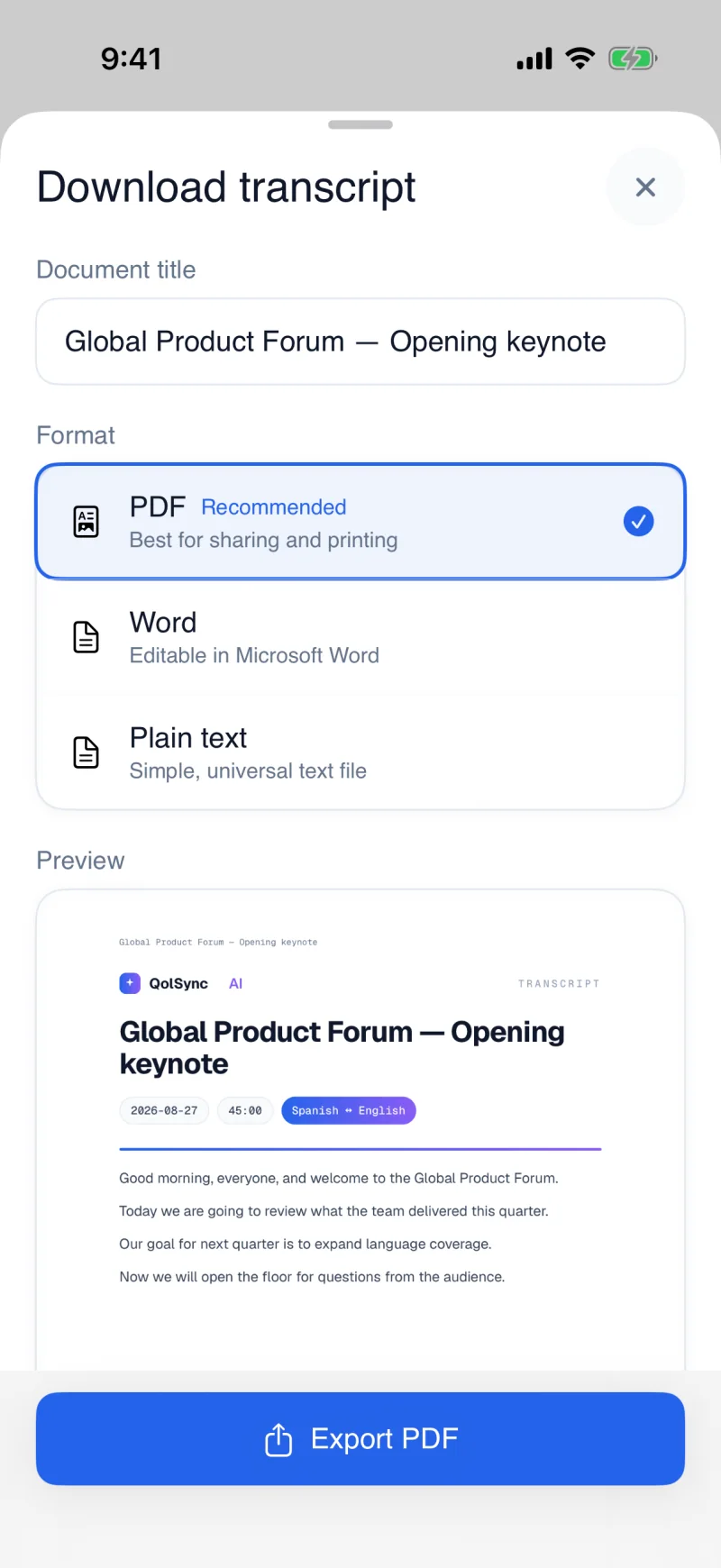
- 3ExportPDF, Word, or plain text
It doesn't stop when the talking does.
Every session saves automatically. Search any word, add your own tags, and filter by category or tag to find it in seconds.
Replay the recording when you have one. Without a recording, natural text-to-speech reads the transcript or translation aloud.
Turn on recording during Live Translation to save the source audio next to the translation — replay exactly what was said. Recording even sharpens the live result as it runs.
Download any transcript or translation as a clean, formatted PDF or Word document — perfect for students reviewing a class.
Get an instant summary of any session, or ask questions about what was said — answered in your language. On a long document or recording, the answers point to the passages they came from.